.svg "Zivid")




It has been a busy stretch here at Zivid, and we are happy to bring you SDK 2.18. This one focuses on uptime, reliability, and developer love, enabling you to monitor camera health in the field, reduce latency, and letting you test your code on virtual cameras before you deploy the code. Let’s dig in.
In this release:
- Deploy safely at scale with camera health check
- Faster captures with direct GPU access
- CUDA installers for Nvidia users
- Create your own file cameras
- Other updates

Reliability at scale: the camera health check
Anyone running a large installation knows the real challenge is not setting up just one cell, it is when you have fifty of them, spread across a site, all expected to run reliably. The new camera health check ensures just that.
Camera health, available both as an API and in Zivid Studio, lets you read metrics such as temperature and max network speed from the camera, enabling you to 1) monitor your deployed cameras for wear and tear and 2) troubleshoot in case something happens to a cell. We designed it to be cheap, so you can poll it as much as you want inside your existing monitoring loop, with little to no measurable hit to capture throughput.
Camera health check example.
Under the hood, the health check rolls up several individual measurements:
- Max transfer speed: End-to-end link speed between the camera and the host computer
- Temperature: Internal camera temperatures in Celsius
- Fan: Status of the fan
- Memory: Whether the camera’s memory is corrupt
- Infield verification: Whether the last verification is more than a year old.
All the above checks are aggregated into an overall status that simply reflects the worst of the individual checks, so a single glance tells you whether a given camera needs attention, and a quick drill down tells you why.
A concrete example is data cable failures. A link that suddenly drops from 10 gigabit to 100 megabit is a classic symptom of a damaged cable, and exactly the kind of intermittent capture failure that may costs hours to diagnose by hand. Instead of discovering the broken cable after the line runs at reduced speed, you see it in your dashboard right away.
Faster captures with direct GPU access
Accessing point cloud and RGB data from the camera has meant a detour that costs performance: first, you copy each frame from the GPU down to the CPU, then straight back up to the GPU to feed it into your own pipeline. That round trip adds latency, potentially slowing down your cycle time.
SDK 2.18 lets you skip that detour! You now have access to Zivid Frames directly in GPU memory, exposed as CUDA device pointers or cl_mem objects for OpenCL. Feed 2D RGB images and 3D point cloud data straight into your grasp detection or segmentation model in a framework such as CuPy or PyTorch. No more copying data back and forth, bouncing through the CPU.
The payoff is lower latency: removing those round-trip delays takes a measurable chunk out of your end-to-end capture time and frees up CPU and PCIe bandwidth. It matters most where cycle time is tight, such as in piece picking or parcel induction cells.
CUDA installers for Nvidia users
It’s not often, but sometimes there is a free lunch. We now support two GPU backends, OpenCL and CUDA. CUDA packages are specifically built for Nvidia hardware, with optimized processing, cutting capture time compared with the OpenCL version. Choose the CUDA installer if you run on an Nvidia GPU, change no code, and get better performance.
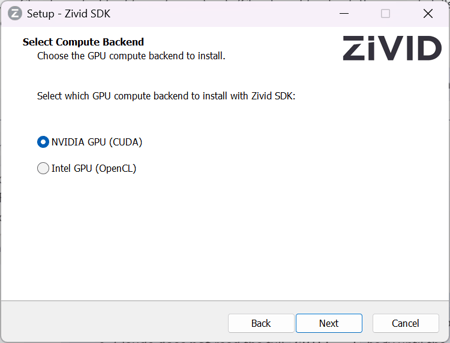 New view when selecting your GPU compute backend.
Create your own file cameras
File cameras, the “virtual cameras” that replay captured data as if a real camera were connected, have long been a Zivid internal tool. More and more of you have asked the obvious question: Can we make our own? With SDK 2.18, you can.
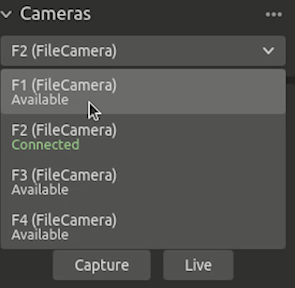
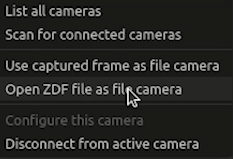
The file camera functionality is now public, letting you create a virtual camera from saved data through Zivid Studio and the API. You can now run automated tests, regression checks, and CI without a physical camera plugged in, and share a consistent virtual camera between developers so everyone works against the same data. For a team developing and maintaining code, that means validating every change before it ships, catching regressions on a commit rather than on a customer line.
 |
|
You can upload and view your file cameras in Zivid Studio.
Other updates
Adjust the Region of Interest in Studio without re-triggering
You can now easily adjust the region of interest without re-triggering a capture in Zivid Studio. Just enable "re-processing" and adjust your ROI. There is no need to take a new capture to see which points fall inside and which fall outside the box. Every point outside will be set to invalid (NaN).
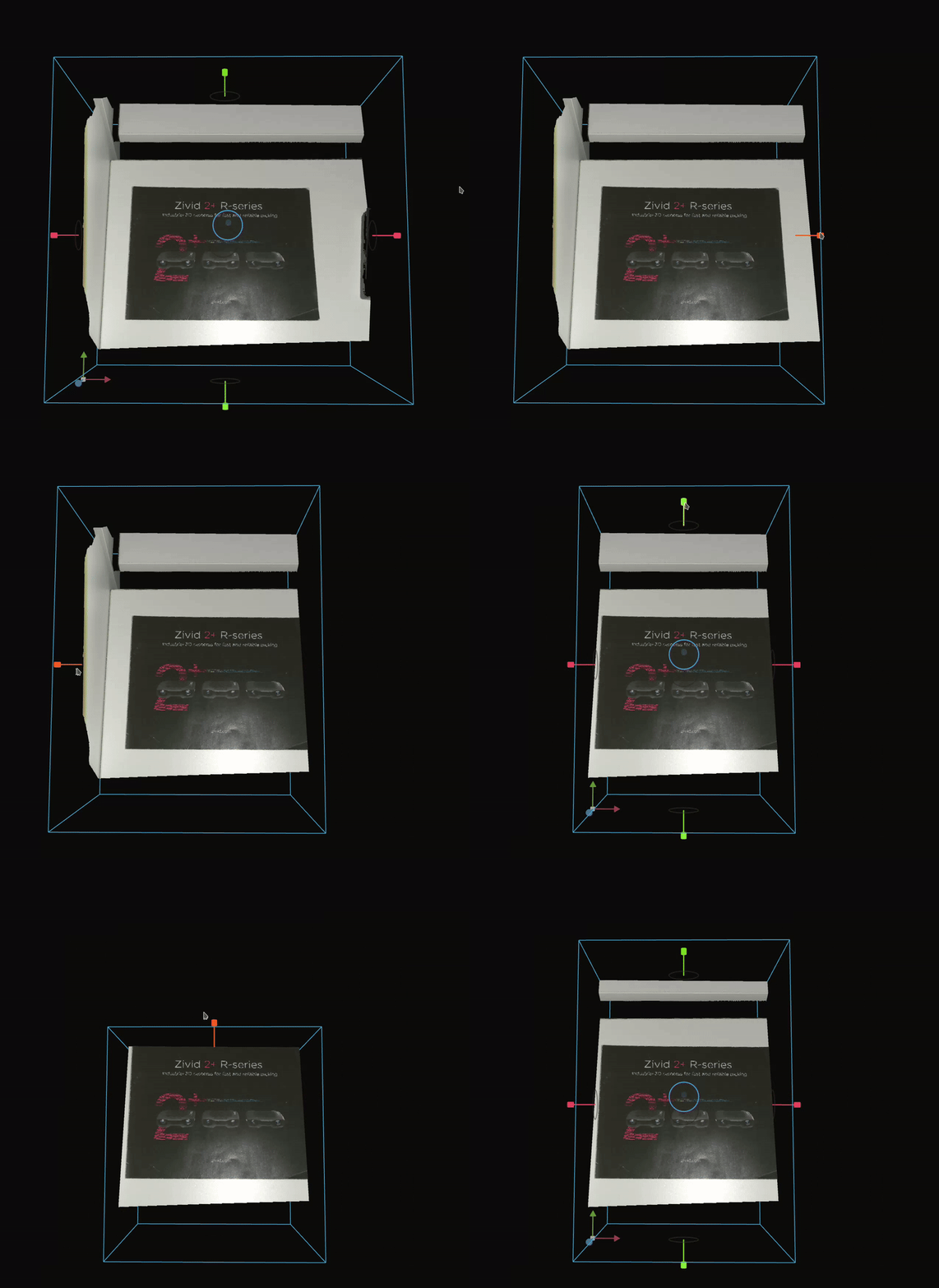 Improved adjustment for the ROI tool.
A confidence check for hand-eye calibration
Hand-eye calibration gains a useful guardrail. A new hand-eye status enum tells you whether the calibration you just ran is actually trustworthy, reporting one of three states:
-
OK, when the calibration succeeded
-
InsufficientMotion, when the computed solution is not well defined due to a lack of motion in the dataset
-
InsufficientDataQuality, when the computed solution has high residual errors, indicating poor data quality
The status is reported for both fiducial-marker and checkerboard-based calibration.
Extended barcode reading API
We have reworked the barcode reading API to make it more flexible and added a few things developers asked for. The main changes:
-
Detection and decoding can now be separate steps. Reading a barcode can be split into two phases, each with its own result class: detection finds candidate regions in the image, and decoding reads the candidates.
-
Bounding boxes with every barcode. All detection and decoding results now expose a bounding box, giving x, y, width, and height in pixels. Use this to locate the code in 3D space and avoid placing the gripper on top of it.
-
Support for ITF barcodes. We now support ITF interleaved 2 of 5 linear format.
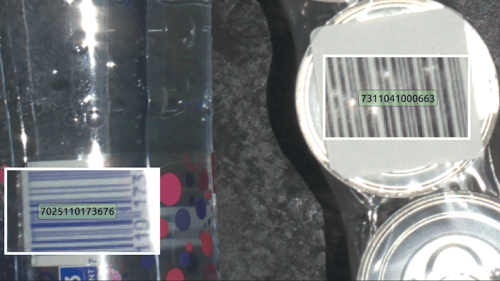 Barcode reading examples in Zivid Studio.
Summary
To wrap up, SDK 2.18 is about reliability, speed, and developer love. The camera health check helps you keep your deployed systems running and catch trouble before it stops a line. Direct GPU access and CUDA installers get your data off the camera and into your pipeline faster. Customer-created file cameras make testing, CI, and collaboration a lot less painful.
We hope you like what we have cooked together for you this time. Now it’s back to work, to bring you the next SDK.
SDK 2.16: Simplified Point Cloud Stitching and Nvidia Omniverse Support
SDK 2.2 - The ART of in-field correction